Introduction
To say that VIZIO owns the flat panel display
market right now would be an understatement. And, the reason is simple: the
price.
Only a couple of years ago, to get a 50"
plasma HDTV, you would have had to shell out about $5,000, even at Costco.
Nobody had heard of VIZIO at that time, and the flat panel TVs were all big
name brands.
Oh, how things have changed.
VIZIO, a huge company that is based out of
Irvine, California, makes their flat panels in Asia, and let's face it,
nobody will spend extra money just for the name VIZIO. That is not what they
are selling.
Also, I don't know anyone who claims VIZIO makes the best quality HDTVs in terms of the picture. While a Pioneer or Sony is "excellent", the
VIZIO is "very good".
But, the average consumer is perfectly happy
to purchase "very good" for less than $1,500 instead of paying one or two
thousand dollars more for "excellent". That value is why stores are having
difficulty keeping VIZIO HDTVs on the shelves, because they are flying off
those shelves into consumers' homes. Every week I go to Costco, the TVs seem
to be $100 cheaper.
So, with that in mind, let's take a look at
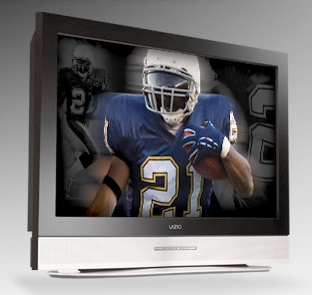
the VIZIO VP50 50" Plasma HDTV.
The Design
The VP50 has a native resolution of 1,365 x
768 pixels. It is a heavy TV, at 120 pounds (including the stand). I guess
that is the only drawback of bigger and bigger flat panels, and this thing
was a real monster to move around. Definitely ask your neighbor or son to
help you put it on a TV table. Don't do it by yourself. I still have aches
and pains from a torn rotator cuff in my shoulder from moving a 1,200 watt
monoblock power amplifier on my own.
Finally, HDTV manufacturers are putting
several HDMI inputs on their models, and this one has three (the version I
received for review was an early run, and had only two). Of course, there are component video,
S-Video, and composite video inputs as well, but even component video is now
considered a "legacy" input, at least as far as I am concerned. And, DVI is
history.
Another thing I like about the latest crop of
flat panels (and projectors too), is that they look great right out of the
box. The VP50 is no exception. I connected the HDMI out from my satellite
box (DirecTV) to one of the HDMI inputs on the VIZIO, turned it on, selected
HDMI 1, and started watching football games.
The image is bright (31.3 foot-Lamberts), like
plasmas tend to be, and the menu allows full control of all variables, such
as brightness, contrast, tint, and saturation. You can select a dynamic
contrast mode if you like, and I did like it. I used it all the time after
trying it out. The image had a lot more snap to it. There are also a number
of picture modes to choose from, such as Movie and Game. However, with those
modes, menu items like tint and color are not adjustable. In other words,
you can only adjust those things in the Custom picture mode, so that is the
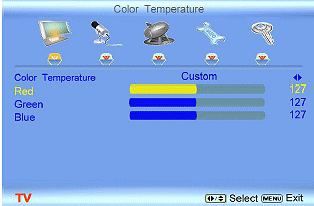
one I used for all viewing and calibration. This includes the Color
Temperature, for adjusting Red, Green, and Blue.
The remote control is the same one that I had
for the
previous
VIZIO HDTV
that we reviewed, which was a 47" LCD.
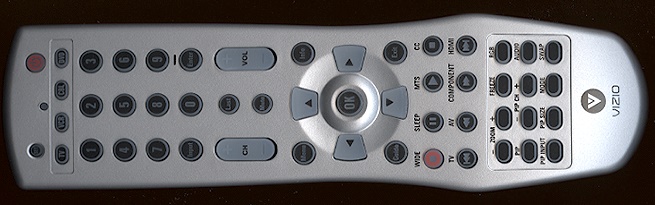
I had no problem setting up the TV. Menus were very easy to understand. I
tweaked the tint a bit for various channels and changed the brightness and
contrast, but other than that, it did not need much alteration. After
calibration, I could see that it was improved, but it was still quite nice
even without calibration.
Picture-in-Picture (PiP) and Picture-on-Picture (PoP) are there, but DirecTV
has its own built-in PiP when you use the program guide. If you want to have
two programs in PiP, you need two tuners in your satellite box.
The built-in amplifier and speakers were among the best I have ever tested,
so you don't need to connect the analog audio out to a receiver for
listening to most programs. However, for watching movies, of course, you
want to use your 5.1 receiver for the surround sound.
Go to Part II.







 YouTube
 Facebook
 Twitter
 LinkedIn
 Pinterest
 Google+
 Instagram
 Advontemedia