
|
||||||
|
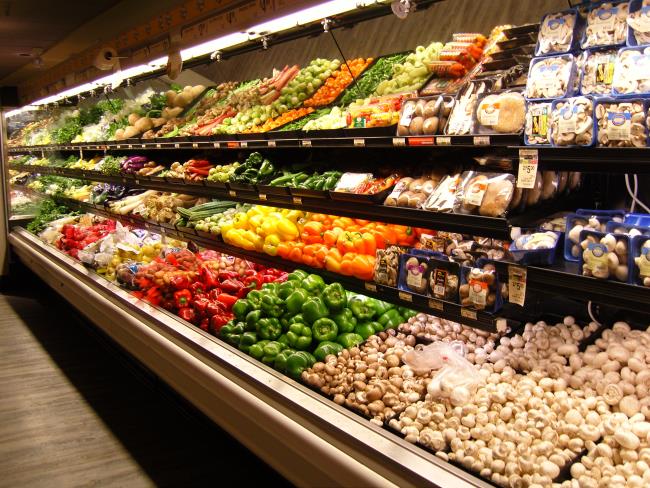
I really enjoyed testing the NV10, although the touch button panel took a little getting used to. The nicest part of this system is that each menu is at the top layer, rather than having to go down several layers to get to a specific menu. In other words, to set an option, you press one button to get to the menu and then a second one to select the option. That is a very welcome change because every menu has equal priority. I would like to have seen more options in the manual mode for changing f-stops, as there are only two to choose from, and they are unusual numbers rather than standard f-stops, i.e., f/5.1 and f/13.1 rather than something like f/4 and f/11. The auto focus occasionally had problems, but I suspect it was due to the Macro and AF regions not overlapping enough. So, if you are in the AF mode and it won't focus when you are up close, switch to Macro, and vice versa. I noticed the battery compartment got warm when taking a lot of photos one after the other. Now that we are at 10 megapixels, the processor is having to do a lot of work. Sort of like the latest computer video cards needing their own fans. Not a complaint, just an observation. The NV10 does not have the capability to store photos in the RAW format. Now that more and more imaging software has RAW processing capabilities, and it is definitely the superior format, I hope we will see RAW as a standard inclusion in PAS cameras. This is especially so now that camera memory is so inexpensive. I got the 1 GB SD card for this camera at CostCo for $50. In the RAW format, each photo for the NV10 would be 10 megapixels in size, compared to the 4 MP of the highest quality JPG that it currently stores (Menu set to 10 MP Size and Super Fine Quality). With a 1 GB SD card, that would be about 100 photos instead of a little more than 200. If you go on vacation and take lots and lots of photos, just get another SD card or one of the portable CD recorders that lets you put your camera memory card in and transfer the photos to a CD so you can clear the SD card for more pictures. Now, I could go on and on about all the features of this camera, much of which are in every PAS camera, such as fluorescent color balance, AVI movie mode, and spot metering, but the bottom line for this kind of camera is what it does in Program mode with snapshots in normal circumstances. So, here are some photos. All were taken at 10 MP, Super Fine quality, Auto ISO, Auto White Balance, and no flash, unless otherwise specified. The photos are reproduced here without modification, except for sizing them to fit on the web page. The first one, shown below, is the grocery shelf that I use as a standard for all my camera reviews. It has vegetables that we are all familiar with. There is a little white clipping in the plastic bag reflections, and the yellow peppers look a little too intense (yellow is a problem with digital cameras), but other than that, everything looks fine.
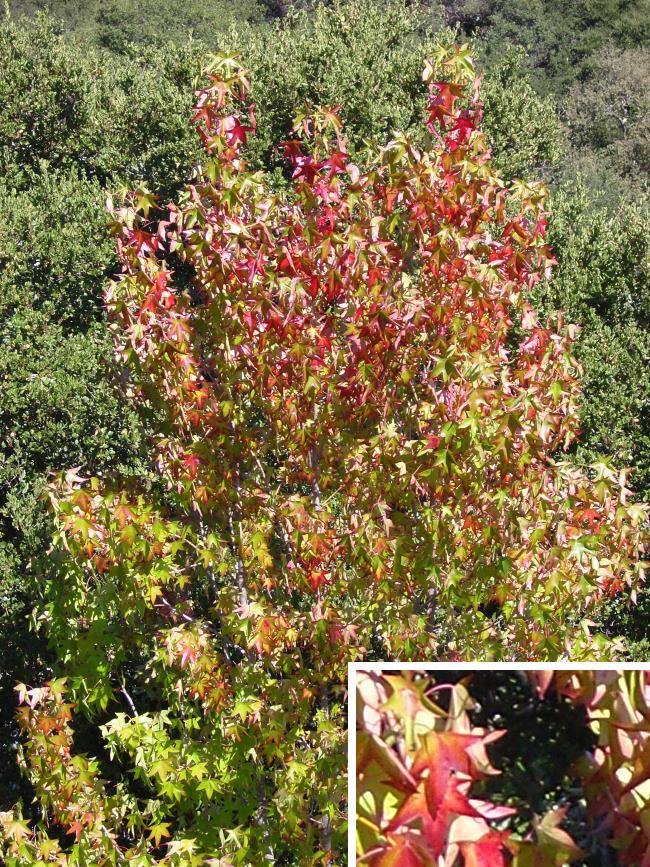
Fall is a great season for picture taking, such as this gum tree. It is a very busy scene, and if there were serious color banding problems, it would show up here. The inset is at 100% (from the upper left quadrant of the photo), and there appears to be very little fringing. The dark shadowed section has no spurious pixelation.
Red and deep pink flowers, such as this pansy and rose, are a problem not just for digital cameras, but for film cameras as well. Even this reproduction on your computer monitor likely makes your eyes hurt. Perhaps future cameras can use algorithms to sense the high intensity of these subjects and reduce the output to the stored photo file.
Whites seemed to be rendered well, that is, with no peculiar color cast. So, the Auto White Balance worked fine. Nicer, in fact, than some previous cameras. You can correct the color balance with PhotoShop, of course, but the less work you have to do, the better. Orange flowers don't seem to overexpose quite as much as red ones, but not far from it.
The next two photos show a red flower, photographed 1.3 f-stops lower than the camera would have exposed it on Auto. The first one is unmanipulated. I adjusted gamma and brightness in the second one, which gives a more natural presentation of the flower than would have been the case in Auto exposure.
|
||||||






 YouTube
 Facebook
 Twitter
 LinkedIn
 Pinterest
 Google+
 Instagram
Magazine Publishing Solutions by
 Advontemedia